The iPhone iOS update has been a major topic for a few days. Let me tell you that this is not a major version update which comes in about a few years or a long interval of time. The latest iOS update was iOS 16 given by Apple devices and it was released on June 20, 2022.
iOS 16 Features
iOS 15 was pretty nice with its functions and still as the world’s trends and interests keep on changing. So as the time passed it lacked some features in it which had to be fulfilled by another update. Then Apple released its another iPhone iOS update called iOS 16.

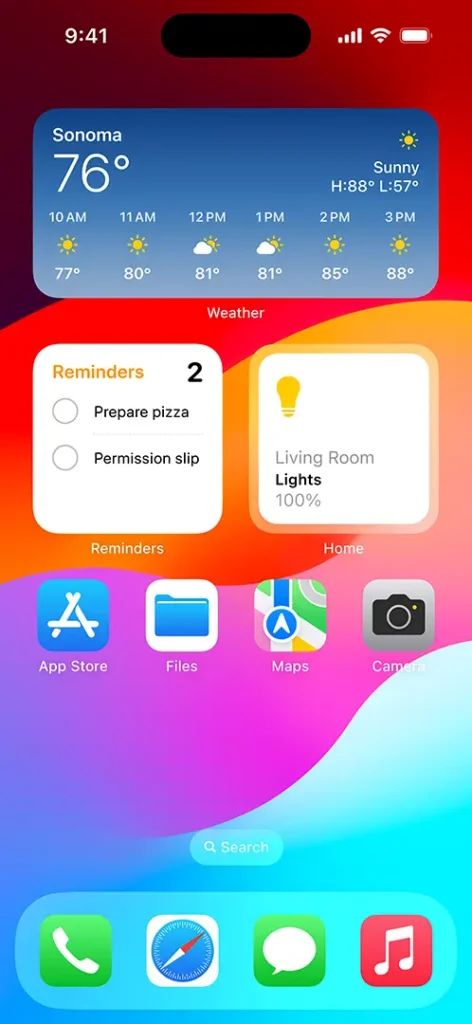
iOS 16 when released had a number of new features and improvements such as:
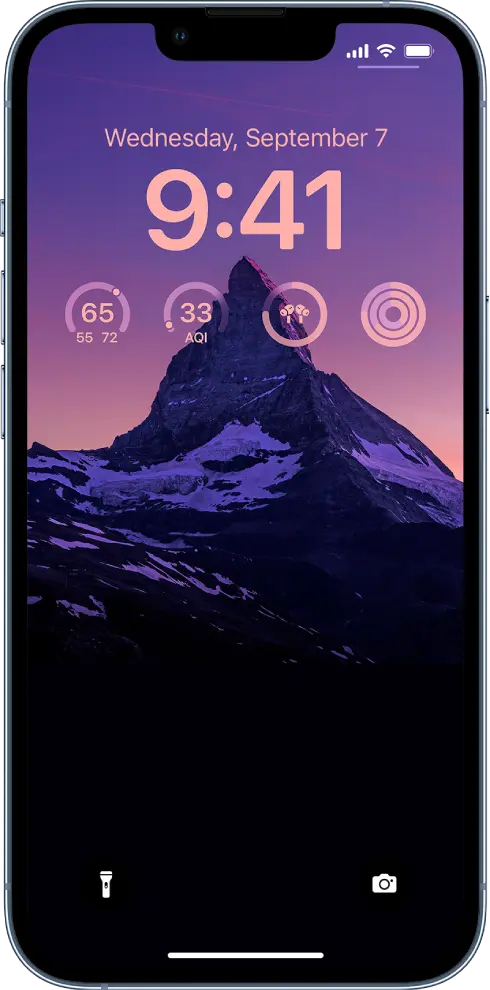
- A redesigned lock screen with widgets and support for Focus modes.
- Messages with new features like Shared with You and the ability to edit and delete messages.
- Maps with new features like augmented reality(AR) directions and improved transit directions.
- Wallet with support for more cards and keys.
- Health with new features like medications and the ability to share health data with others.
- Privacy with new features like Mail Privacy Protection and Hide My Email.
- Accessibility with new features like Live Captions and Sound Recognition.
Note: iOS 16 is available for iPhone 8 or later.
How to update iOS 16?
You can get your iPhone iOS updates within your device. Just you need to follow the following steps to get the latest iOS version.
- Go to Settings.
- Go to General.
- Go to Software Update.
What do we have in the iPhone iOS update released this week?
You might be waiting for the iOS 16.6 update as Apple was working on it. It has already given five betas that have been released to the developers. After knowing this thing and waiting for the iPhone iOS 16.6 update, getting the iOS 16.5.1 update is a surprise for many iPhone users. So why did Apple release iPhone iOS update suddenly when everyone was prepared for another update which was soon going to launch.

Introduction to iPhone iOS update this week
Apple has released a Rapid Security Response (RSR). And it’s not some huge update that you need to worry about. This is tiny as 3MB and fast to install. This tells us that it is an urgent iOS update given by Apple. Now, this update became the latest iOS version for Apple devices.
What was the Change in this update?
In this iOS 16 update, they have solved only one issue: security issue. It was the main reason why they had given us this update in the middle of work on 16.6. The iOS updates include non-security elements.
Effect of this iPhone iOS update
Just after some hours of this iOS update, Apple pulled it an unprecedented move. This iOS 16.5.1 update had caused a headache for websites like Facebook, Zoom and Instagram which weren’t behaving as they should have to.
Then after a few hours, Apple released a support document explaining about the incident and what will happen after that. Here’s what they have said.
“Apple is aware of an issue where this Rapid Security Response might prevent some websites from displaying properly. Rapid Security 16.5.1(a) and iPadOS 16.5.1 (b) will soon be available to address this issue.”
https://support.apple.com/en-us/HT213827
How to remove this update
If any kind of issue occurred while updating your iOS version then your can remove it simply by following these steps:
- In Settings > About > iOS Version , tap “Remove Security Response” . Then tap Remove to confirm.
If you have installed macOS then the same thing will apply over there too. Apple says
“Apple is aware of an issue where this Rapid Security Response might prevent some websites from displaying properly. Rapid Security Response macOS 13.4.1(b) will be available soon to address this issue.”
https://support.apple.com/en-qa/HT213825
You can choose to remove Rapid Security Response (a): Choose Apple menu > About this Mac > and click More Info. Under macOS, click the Info (i) button next to the version number. Click Remove and Restart, and then click to confirm.
Which iPhone can run this update?
Apple iPhone iOS update runs on all iPhones released in 2017 or later. Here are the list of iPhone devices that can run the iOS 16.5.1 update:
- iPhone 8
- iPhone X
- iPhone XR
- iPhone XS / XS Max
- iPhone 11
- iPhone 11 Pro / 11 Pro Max
- iPhone SE
- iPhone 12
- iPhone 12 Mini
- iPhone 12 Pro / 12 Pro Max
- iPhone 13
- iPhone 13 Pro / 13 Pro Max
- iPhone SE
- iPhone 14
- iPhone 14 Pro / 14 Pro Max
Conclusion
In conclusion, we can say that the iPhone iOS update which we got this week is a minor iOS update. This latest iPhone version solved the security issue. You can get your iOS 16 update or download it on your Settings.
You can check out this article. You have all the things required for you to know about this latest version of iOS. Hope you liked our article.
Leave a Reply