Author: manoj

  • Day 5 of My Learning Journey: Building a Multilingual Sentiment Analysis Model

    Day 5 of My Learning Journey: Building a Multilingual Sentiment Analysis Model

    On Day 5 of my learning journey, I dove into the fascinating world of Natural Language Processing (NLP) by building a multilingual sentiment analysis model using Python. This project was an exciting step toward understanding how machine learning can interpret human emotions from text data, even across different languages. Below, I share the key components of this project, the challenges I faced, and the lessons I learned.

    Project Overview

    The goal was to create a system that analyzes movie reviews and predicts whether they express a positive or negative sentiment. What made this project particularly exciting was its ability to handle reviews in multiple languages, such as English, Spanish, French, German, Japanese, and Russian, by incorporating language detection and translation.

    The project was structured into five key steps:

    1. Data Preparation: Loading and cleaning the IMDB dataset.
    2. Model Training: Training a logistic regression model on the processed data.
    3. Multilingual Testing: Adding language detection and translation to handle non-English reviews.
    4. Model Evaluation: Assessing the model’s performance using accuracy and classification metrics.
    5. Interactive Application: Building a simple interface for users to input reviews and get sentiment predictions.

    Step-by-Step Breakdown

    1. Data Preparation

    I started by loading the IMDB dataset, a collection of movie reviews labeled as positive or negative. Using pandas, I read the CSV file and performed initial checks to ensure the dataset contained the expected columns (review and sentiment). To handle potential inconsistencies in column names, I implemented logic to dynamically identify relevant columns.

    The text data was cleaned by:

    • Converting reviews to lowercase.
    • Removing punctuation using regular expressions (re).
    • Transforming the text into numerical features using CountVectorizer from scikit-learn, which creates a bag-of-words representation.

    The processed data (X for features, y for labels) and the vectorizer were saved using pickle for later use.

    2. Model Training

    For the classification task, I chose Logistic Regression due to its simplicity and effectiveness for binary classification. The dataset was split into 80% training and 20% testing sets using train_test_split. After training the model on the training data, I saved the trained model and test data for evaluation.

    3. Multilingual Sentiment Analysis

    To make the model multilingual, I integrated langdetect for language detection and deep_translator for translating non-English reviews into English. This allowed the model to process reviews in languages like Spanish, French, German, Japanese, and Russian. The workflow was:

    • Detect the language of the input review.
    • If non-English, translate it to English using Google Translate.
    • Clean the text and transform it into numerical features using the saved vectorizer.
    • Predict sentiment using the trained model.

    4. Model Evaluation

    To evaluate the model’s performance, I used the test set to calculate:

    • Accuracy: The proportion of correct predictions.
    • Classification Report: Precision, recall, and F1-score for both positive and negative classes.
    • Confusion Matrix: To visualize true positives, true negatives, false positives, and false negatives.

    The model’s performance provided insights into its strengths and areas for improvement, such as handling imbalanced data or improving translation accuracy.

    5. Interactive Application

    Finally, I created an interactive script that allows users to input movie reviews and receive sentiment predictions in real-time. The script uses the saved model and vectorizer to process user input, detect the language, and predict sentiment. I also tested the system with sample reviews in multiple languages to demonstrate its multilingual capabilities.

    Challenges and Lessons Learned

    • Data Cleaning: Ensuring consistent text preprocessing was critical. For example, removing punctuation and handling special characters improved the model’s performance.
    • Multilingual Processing: Language detection occasionally failed for short or ambiguous texts, leading to a fallback to English. This highlighted the importance of robust language detection libraries.
    • Model Limitations: The bag-of-words approach with CountVectorizer is simple but may miss contextual nuances. Exploring more advanced techniques like word embeddings (e.g., BERT) could enhance performance.
    • Scalability: Saving and loading large datasets and models using pickle was efficient, but I learned about potential issues with pickle compatibility across Python versions.

    Key Takeaways

    • NLP Fundamentals: I gained hands-on experience with text preprocessing, feature extraction, and classification.
    • Multilingual NLP: Integrating language detection and translation opened up possibilities for global applications.
    • Evaluation Metrics: Understanding accuracy, precision, recall, and confusion matrices deepened my knowledge of model evaluation.
    • Practical Application: Building an interactive script showed me how to bridge the gap between a trained model and a user-facing application.

    Next Steps

    Moving forward, I plan to:

    • Experiment with advanced NLP models like BERT or TF-IDF for better text representation.
    • Improve language detection accuracy for short texts.
    • Deploy the model as a web application using frameworks like Flask or FastAPI to make it accessible to a broader audience.

    Code Highlight

    Below is a snippet of the interactive script for sentiment prediction: import pickle import re from utils import detect_language, translate_to_english

    Load trained model and vectorizer

    with open('trained_model.pkl', 'rb') as f:
    model = pickle.load(f)
    with open('vectorizer.pkl', 'rb') as f:
    vectorizer = pickle.load(f)
    
    def clean_text(text):
    text = text.lower()
    text = re.sub(r'[^\w\s]', '', text)
    return text
    
    def predict_sentiment(review, vectorizer, model):
    detected_lang = detect_language(review)
    if detected_lang != 'en' and detected_lang != 'unknown':
    review = translate_to_english(review)
    review = clean_text(review)
    review_vector = vectorizer.transform([review])
    return model.predict(review_vector)[0]

    Interactive loop

    print("Sentiment Classifier: Enter a movie review to predict its sentiment.")
    while True:
    user_review = input("Enter your review (or type 'exit' to quit): ")
    if user_review.lower() == 'exit':
    break
    sentiment = predict_sentiment(user_review, vectorizer, model)
    print(f"Predicted Sentiment: {sentiment}\n")
  • Day 4 of Our Learning Journey: Building an AI-Powered Website Design Generator

    Day 4 of Our Learning Journey: Building an AI-Powered Website Design Generator

    Welcome to Day 4 of our coding adventure! Today, we tackled an exciting project: an AI-Powered Website Design Generator that turns natural language prompts into custom HTML and CSS code. This tool makes web design accessible to everyone, allowing users to describe their vision—like “a modern portfolio with a dark theme and bold buttons”—and instantly get professional-grade code. As beginners, we’re thrilled to share our progress, the requirements behind this project, and a link to the code on GitHub.

    The Mission: Web Design for All

    Our goal was to create a tool that empowers anyone, from entrepreneurs to hobbyists, to generate website designs without coding. By combining AI with a user-friendly interface, we’re making web design fast, intuitive, and inclusive. Day 4 was the perfect opportunity to stretch our skills and build something impactful.

    The Tech Stack

    We used a beginner-friendly stack to bring this project to life:

    • Backend: Flask (Python) for the API, integrated with Google’s Gemini 1.5 Flash AI model to generate HTML and CSS.
    • Frontend: React for a dynamic, dark-themed interface that displays live previews and generated code.
    • AI: Google Gemini to process prompts and output structured JSON with HTML and CSS.
    • Deployment: Backend on a custom server, frontend hosted on Vercel for seamless access.

    Requirements

    To build and run the Website Design Generator, here’s what we needed:

    Backend Dependencies (requirements.txt)

    These Python packages power the Flask backend and AI integration:

    • Flask==3.0.3
    • blinker==1.9.0
    • click==8.2.1
    • colorama==0.4.6
    • itsdangerous==2.2.0
    • jinja2==3.1.6
    • markupsafe==3.0.2
    • werkzeug==3.1.3
    • idna==3.10
    • python-dotenv==1.1.1
    • requests==2.32.4
    • urllib3==2.5.0
    • charset_normalizer==3.4.2
    • certifi==2025.6.15
    • annotated-types==0.7.0
    • cachetools==5.5.2
    • google-ai-generativelanguage==0.6.15
    • google-api-core==2.25.1
    • google-api-python-client==2.175.0
    • google-auth==2.40.3
    • google-auth-httplib2==0.2.0
    • google-generativeai==0.8.5
    • googleapis-common-protos==1.70.0
    • grpcio==1.73.1
    • grpcio-status==1.71.2
    • httplib2==0.22.0
    • proto-plus==1.26.1
    • protobuf==5.29.5
    • pyasn1==0.6.1
    • pyasn1-modules==0.4.2
    • pydantic==2.11.7
    • pydantic-core==2.33.2
    • pyparsing==3.2.3
    • rsa==4.9.1
    • tqdm==4.67.1
    • typing-extensions==4.14.1
    • typing-inspection==0.4.1
    • uritemplate==4.2.0
    • flask-cors==6.0.1

    Frontend Dependencies

    The React frontend relies on:

    • React (v18.x)
    • TypeScript for type safety
    • Vercel for deployment
    • Basic HTML/CSS for styling (inline styles in the component)

    Additional Requirements

    • Gemini API Key: A Google API key for accessing the Gemini 1.5 Flash model, stored in a .env file.
    • Node.js: For running the React frontend locally.
    • Python 3.8+: For the Flask backend.
    • Internet Access: For API calls to Gemini and frontend-backend communication.

    What We Learned on Day 4

    This project was a whirlwind of new skills:

    • Backend Development: Setting up Flask routes, handling JSON, and integrating with an AI model taught us about APIs and server logic.
    • Frontend Development: Building a React interface with state management and live previews showed us how to create dynamic UIs.
    • AI Integration: Crafting prompts for Gemini and parsing its output helped us understand AI’s potential and quirks.
    • Deployment: Hosting on Vercel and configuring CORS gave us hands-on experience with production environments.
    • Problem-Solving: Handling errors, like inconsistent AI responses, pushed us to write robust code.

    Check Out the Code!

    We’ve shared the full project on GitHub for you to explore, run, or contribute to: Website Design Generator GitHub Repository. Try it out, experiment with prompts, and let us know what you think!

    Frontend Code : https://github.com/manojtsx/Website-Component-Design-Generator-Frontend

    Backend Code: https://github.com/manojtsx/Website-Component-Design-Generator-Backend

    What’s Next?

    On Day 5, we plan to enhance the generator with features like:

    • Customizable design tweaks via sliders or additional prompts.
    • Support for JavaScript to add interactivity.
    • A component library for reusable elements like navbars or footers.

    Let’s Connect!

    Day 4 has been a game-changer, showing us how AI can transform web development. If you’re learning to code, passionate about AI, or curious about web design, let’s connect! Share your thoughts in the comments, try our tool, or reach out to collaborate. Here’s to more learning and building!

    #WebDevelopment #AI #CodingJourney #Day4 #React #Flask

  • Day 3 of Learning OCR: Building a Modular Python OCR System

    Day 3 of Learning OCR: Building a Modular Python OCR System

    On Day 3 of my journey into Optical Character Recognition (OCR), I took a significant step forward by organizing a Python-based OCR project into a modular, scalable structure. Using powerful libraries like OpenCV and Tesseract, I built a system capable of extracting text from images with improved preprocessing techniques. Below, I’ll share the project structure, the complete code for each file, and the key lessons I learned along the way.

    Why Modularize?

    As my OCR project grew, I realized the importance of keeping code organized and reusable. By splitting the functionality into separate files—each handling a specific task like image loading, preprocessing, or text extraction—I made the codebase easier to maintain, debug, and extend. This approach mirrors real-world software engineering practices, making it a valuable lesson for building production-ready applications.

    The Project Structure

    I designed a clean folder structure to keep everything tidy:

    universal_ocr/
    ├── images/               # Folder for input images
    ├── main.py               # Entry point of the application
    ├── ocr/
    │   ├── __init__.py       # Makes ocr a Python package
    │   ├── loader.py         # Handles image loading
    │   ├── processor.py      # Manages image preprocessing
    │   └── reader.py         # Performs text extraction
    

    Below is the complete code for each file, along with explanations of what I learned while building them.

    1. ocr/loader.py

    This module handles loading images from a specified folder, filtering for common image formats like PNG, JPG, and more.

    import os
    
    def load_images_from_folder(folder):
        images = []
        for filename in os.listdir(folder):
            if filename.lower().endswith(('.png', '.jpg', '.jpeg', '.bmp', '.tiff')):
                images.append(os.path.join(folder, filename))
        return images
    

    Key Learning: Using os.listdir() and os.path.join() makes file handling platform-independent. The case-insensitive check with filename.lower() ensures robustness across different image formats.

    2. ocr/processor.py

    This module preprocesses images to improve OCR accuracy. It includes steps like converting to grayscale, resizing, applying Gaussian blur, sharpening, adaptive thresholding, and skew correction.

    import cv2
    import numpy as np
    
    def preprocess_image(image):
        gray = cv2.cvtColor(image, cv2.COLOR_BGR2GRAY)
    
        scale_percent = 150
        width = int(gray.shape[1] * scale_percent / 100)
        height = int(gray.shape[0] * scale_percent / 100)
        gray = cv2.resize(gray, (width, height), interpolation=cv2.INTER_LINEAR)
    
        blur = cv2.GaussianBlur(gray, (5,5), 0)
    
        kernel_sharpen = np.array([[0,-1,0], [-1,5,-1], [0,-1,0]])
        sharpened = cv2.filter2D(blur, -1, kernel_sharpen)
    
        thresh = cv2.adaptiveThreshold(
            sharpened, 255, 
            cv2.ADAPTIVE_THRESH_GAUSSIAN_C, 
            cv2.THRESH_BINARY, 31, 10)
    
        coords = np.column_stack(np.where(thresh > 0))
        angle = cv2.minAreaRect(coords)[-1]
        if angle < -45:
            angle = -(90 + angle)
        else:
            angle = -angle
    
        (h, w) = thresh.shape[:2]
        center = (w // 2, h // 2)
        M = cv2.getRotationMatrix2D(center, angle, 1.0)
        rotated = cv2.warpAffine(thresh, M, (w, h), flags=cv2.INTER_CUBIC, borderMode=cv2.BORDER_REPLICATE)
    
        return rotated
    

    Key Learning: Preprocessing is the backbone of effective OCR. Each step—grayscale conversion, resizing, blurring, sharpening, thresholding, and skew correction—addresses specific challenges like noise, low resolution, or text rotation. Tuning parameters like the thresholding block size (31) and constant (10) was critical for handling diverse image qualities.

    3. ocr/reader.py

    This module uses Tesseract to extract text from preprocessed images, leveraging the preprocessing function from processor.py.

    import cv2
    import pytesseract
    from .processor import preprocess_image
    
    # Optional: specify path if not in PATH
    # pytesseract.pytesseract.tesseract_cmd = r'C:\Program Files\Tesseract-OCR\tesseract.exe'
    
    def extract_text_from_image(image_path):
        image = cv2.imread(image_path)
        preprocessed = preprocess_image(image)
        text = pytesseract.image_to_string(preprocessed)
        return text
    

    Key Learning: Tesseract’s performance heavily depends on image quality, making preprocessing essential. I also learned that specifying the Tesseract executable path is necessary in some environments, like Windows, if it’s not in the system PATH.

    4. main.py

    The main script ties everything together, loading images and extracting text while incorporating basic error handling.

    from ocr.loader import load_images_from_folder
    from ocr.reader import extract_text_from_image
    
    def main():
        image_folder = 'images'
        image_paths = load_images_from_folder(image_folder)
        
        for path in image_paths:
            print(f"\nExtracting from: {path}")
            try:
                text = extract_text_from_image(path)
                print("Text:\n", text.strip())
            except Exception as e:
                print("Failed to process image:", e)
    
    if __name__ == "__main__":
        main()
    

    Key Learning: A clean entry point simplifies execution and testing. Using try-except blocks ensures the program doesn’t crash on problematic images, and the if __name__ == "__main__": construct allows the script to be imported as a module without running the main logic.

    Running the Project

    To run the project, I placed images in the images/ folder and executed:

    python main.py
    

    The script processes each image, applies preprocessing, and prints the extracted text. This setup is simple yet flexible, allowing for future enhancements like logging or image previews.

    Challenges and Takeaways

    • Challenge: Finding the right preprocessing parameters was tricky. For example, adjusting the adaptive thresholding parameters (31 and 10) required experimentation to handle different image qualities effectively.
    • Takeaway: Modular design not only improves code readability but also simplifies debugging and testing. By isolating preprocessing, I could refine it independently without affecting other components.
    • Next Steps: I plan to add logging to track errors and successes, implement image previews for visual debugging, and explore advanced preprocessing techniques for handling noisy or multilingual documents.

    Why This Matters

    This project is more than a learning exercise—it’s a step toward building real-world applications like document digitization, automated form processing, or assistive technologies for visually impaired users. Mastering OCR equips me with skills that have practical impact across industries, from finance to healthcare.

    Final Thoughts

    Day 3 taught me the power of modular design and the critical role of preprocessing in OCR. I’m excited to continue this journey, building on this foundation to tackle more complex challenges like multilingual text extraction or optimizing for low-quality images. If you’re working on OCR or computer vision projects, I’d love to hear your experiences and tips in the comments!

    #Python #OCR #ComputerVision #MachineLearning #Day3

  • Day 2 of Building a Spam Detector with Python: A Hands-On Machine Learning Journey

    Day 2 of Building a Spam Detector with Python: A Hands-On Machine Learning Journey

    On a late Sunday evening, July 6, 2025, I dove into a new machine learning adventure: creating a spam detector using Python. Inspired by my recent sentiment classifier project, this guide walks you through classifying emails or messages as “spam” or “ham” (not spam) in a practical, beginner-friendly way. Whether you’re a data enthusiast or a professional sharpening your skills, this five-step process will help you build and deploy your own ML model. Let’s get started!


    Step 1: Understanding Model Training Basics

    Machine learning is all about teaching models to spot patterns. For this spam detector, the goal is to analyze text and classify it as spam or ham. The workflow includes:

    • Data Preparation: Gathering and cleaning text data.
    • Choosing a Model: Selecting an algorithm like Naive Bayes.
    • Training: Feeding data to learn spam patterns.
    • Evaluation: Measuring the model’s accuracy.
    • Deployment: Applying it to classify new messages.

    What I Did:

    • Installed Python libraries (scikit-learn, pandas, numpy) using:pip install scikit-learn pandas numpy
    • Set up a clear plan to build a spam detector, leveraging text classification techniques.

    This step laid the groundwork for a streamlined ML project.


    Step 2: Preparing the Data

    Data powers any ML model. I used a small sample dataset of messages for simplicity, but real-world applications benefit from larger datasets like the SMS Spam Collection.

    What I Did:

    • Created a dataset with five messages and their labels (spam/ham).
    • Cleaned text by converting to lowercase and removing punctuation.
    • Transformed text into numerical features using CountVectorizer.

    Here’s the code:

    import pandas as pd
    from sklearn.feature_extraction.text import CountVectorizer
    import re
    
    # Sample dataset
    data = {
        'message': [
            'Win a free iPhone now! Click here.',
            'Meeting at 10 AM tomorrow, see you there.',
            'Get rich quick with this offer!',
            'Hi, just checking in about the project.',
            'Claim your prize today, urgent!'
        ],
        'label': ['spam', 'ham', 'spam', 'ham', 'spam']
    }
    
    # Create a DataFrame
    df = pd.DataFrame(data)
    
    # Clean text data
    def clean_text(text):
        text = text.lower()
        text = re.sub(r'[^\w\s]', '', text)
        return text
    
    df['message'] = df['message'].apply(clean_text)
    
    # Convert text to numerical features
    vectorizer = CountVectorizer()
    X = vectorizer.fit_transform(df['message'])
    y = df['label']
    
    print("Feature matrix shape:", X.shape)
    print("Labels:", y)
    

    This code converted raw text into a numerical format, creating a feature matrix (X) and labels (y) for the model.


    Step 3: Choosing and Training the Model

    I chose Multinomial Naive Bayes, a go-to algorithm for text classification due to its strength with word frequency data.

    What I Did:

    • Split data into 80% training and 20% testing sets.
    • Trained the Naive Bayes model on the training data.

    Here’s the code:

    from sklearn.model_selection import train_test_split
    from sklearn.naive_bayes import MultinomialNB
    
    # Split data
    X_train, X_test, y_train, y_test = train_test_split(X, y, test_size=0.2, random_state=42)
    
    # Initialize and train the model
    model = MultinomialNB()
    model.fit(X_train, y_train)
    
    print("Model trained successfully!")
    print("Training data shape:", X_train.shape)
    print("Testing data shape:", X_test.shape)
    

    The model learned to differentiate spam from ham based on word patterns.


    Step 4: Evaluating the Model

    To verify performance, I tested the model on the unseen test set and calculated key metrics.

    What I Did:

    • Made predictions on the test set.
    • Computed accuracy and generated a classification report for precision, recall, and F1-score.

    Here’s the code:

    from sklearn.metrics import accuracy_score, classification_report
    
    # Make predictions
    y_pred = model.predict(X_test)
    accuracy = accuracy_score(y_test, y_pred)
    
    # Print results
    print("Test Accuracy:", accuracy)
    print("\nClassification Report:")
    print(classification_report(y_test, y_pred))
    

    Note: The small dataset (five messages) limited the test set to one sample, reducing metric reliability. For robust results, use a larger dataset like the SMS Spam Collection.


    Step 5: Deploying the Model in a Project

    I created an interactive application to classify new messages, showcasing real-world applicability.

    What I Did:

    • Saved the model and vectorizer for reuse.
    • Built a function to predict labels and an interactive script for user inputs.

    Here’s the code:

    import joblib
    
    # Save the model and vectorizer
    joblib.dump(model, 'spam_detector_model.pkl')
    joblib.dump(vectorizer, 'vectorizer.pkl')
    
    # Function to predict spam
    def predict_spam(message, vectorizer, model):
        message = clean_text(message)
        message_vector = vectorizer.transform([message])
        prediction = model.predict(message_vector)
        return prediction[0]
    
    # Interactive script
    print("Spam Detector: Enter a message to check if it's spam or ham.")
    while True:
        user_message = input("Enter your message (or type 'exit' to quit): ")
        if user_message.lower() == 'exit':
            break
        label = predict_spam(user_message, vectorizer, model)
        print(f"Predicted Label: {label}\n")
    
    # Example usage
    sample_messages = [
        "Win a free trip today! Click now.",
        "Let’s schedule a call for tomorrow."
    ]
    for message in sample_messages:
        label = predict_spam(message, vectorizer, model)
        print(f"Message: {message}\nPredicted Label: {label}\n")
    

    This script allows users to input messages and receive instant spam/ham predictions, demonstrating practical deployment.


    What’s Next?

    This spam detector is just the beginning! Here are some ideas to take it further:

    • Scale Up: Use a larger dataset for improved accuracy.
    • Deploy as a Web App: Create a user-friendly interface with Flask or Streamlit.
    • Enhance Features: Add keyword filtering or email header analysis.

    Building this project fueled my excitement for applying ML to real-world challenges. I’d love to see your ML projects or hear your thoughts—connect with me on LinkedIn and let’s keep the conversation going! 🚀

    #MachineLearning #Python #DataScience #AI #SpamDetection

  • Day 1 of Building a Sentiment Classifier with Python: A Beginner-Friendly Machine Learning Project

    Day 1 of Building a Sentiment Classifier with Python: A Beginner-Friendly Machine Learning Project

    Machine learning (ML) is revolutionizing data analysis and predictive modeling. In this article, I’ll guide you through creating a simple sentiment classifier to predict whether a movie review is positive or negative. This beginner-friendly project uses Python and scikit-learn, and by the end, you’ll have a functional model ready for real-world applications. Let’s explore the five steps I took to build this project from scratch!


    Step 1: Understanding Model Training Basics

    Model training involves teaching an ML model to identify patterns in data. For this project, we aim to classify movie reviews as “positive” or “negative” based on their text. The process includes:

    • Data Preparation: Collecting and cleaning data.
    • Choosing a Model: Selecting an algorithm (e.g., Logistic Regression).
    • Training: Feeding data to the model to learn.
    • Evaluation: Testing the model’s performance.
    • Deployment: Integrating the model into a project.

    What I Did:

    • Installed Python (3.8+) and required libraries: scikit-learn, pandas, and numpy.
    • Ran this command to set up my environment:pip install scikit-learn pandas numpy
    • Chose to build a sentiment classifier for movie reviews, a classic ML task.

    This step established the foundation, ensuring I had the tools and a clear objective.


    Step 2: Preparing the Data

    Data is the backbone of any ML model. For simplicity, I used a small sample dataset of movie reviews, but you can scale up with datasets like IMDb from Kaggle.

    What I Did:

    • Created a sample dataset with five reviews and their sentiments.
    • Cleaned the text by converting it to lowercase and removing punctuation.
    • Converted text into numerical features using a bag-of-words model with CountVectorizer.

    Here’s the code:

    import pandas as pd
    from sklearn.feature_extraction.text import CountVectorizer
    import re
    
    # Sample dataset
    data = {
        'review': [
            'This movie was amazing and I loved it!',
            'Terrible film, really boring.',
            'Great acting and wonderful story.',
            'Awful, I hated this movie.',
            'Fantastic experience, highly recommend!'
        ],
        'sentiment': ['positive', 'negative', 'positive', 'negative', 'positive']
    }
    
    # Create a DataFrame
    df = pd.DataFrame(data)
    
    # Clean text data
    def clean_text(text):
        text = text.lower()  # Convert to lowercase
        text = re.sub(r'[^\w\s]', '', text)  # Remove punctuation
        return text
    
    df['review'] = df['review'].apply(clean_text)
    
    # Convert text to numerical features
    vectorizer = CountVectorizer()
    X = vectorizer.fit_transform(df['review'])  # Features
    y = df['sentiment']  # Labels
    
    print("Feature matrix shape:", X.shape)
    print("Labels:", y)
    

    This code transformed raw text into a numerical format, creating a feature matrix (X) and labels (y) for the model.


    Step 3: Choosing and Training the Model

    I selected Logistic Regression, a robust algorithm for binary classification (positive vs. negative).

    What I Did:

    • Split the data into training (80%) and testing (20%) sets for later evaluation.
    • Trained the Logistic Regression model on the training data.

    Here’s the code:

    from sklearn.model_selection import train_test_split
    from sklearn.linear_model import LogisticRegression
    
    # Split data
    X_train, X_test, y_train, y_test = train_test_split(X, y, test_size=0.2, random_state=42)
    
    # Initialize and train the model
    model = LogisticRegression()
    model.fit(X_train, y_train)
    
    print("Model trained successfully!")
    print("Training data shape:", X_train.shape)
    print("Testing data shape:", X_test.shape)
    

    The model learned patterns from the training data, preparing it for predictions.


    Step 4: Evaluating the Model

    To assess performance, I tested the model on the unseen test set and calculated metrics like accuracy.

    What I Did:

    • Made predictions on the test set.
    • Computed accuracy and generated a classification report for detailed metrics.

    Here’s the code:

    from sklearn.metrics import accuracy_score, classification_report
    
    # Make predictions
    y_pred = model.predict(X_test)
    
    # Calculate accuracy
    accuracy = accuracy_score(y_test, y_pred)
    
    # Print results
    print("Test Accuracy:", accuracy)
    print("\nClassification Report:")
    print(classification_report(y_test, y_pred))
    

    Note: With only five reviews, the test set had one sample, making metrics less reliable. For robust results, use a larger dataset like IMDb with thousands of reviews.


    Step 5: Deploying the Model in a Project

    I built a simple application to predict sentiments for new reviews, showcasing real-world usability.

    What I Did:

    • Saved the model and vectorizer for reuse.
    • Created a function to preprocess and predict sentiment for new reviews.
    • Developed an interactive script for user inputs.

    Here’s the code:

    import joblib
    
    # Save the model and vectorizer
    joblib.dump(model, 'sentiment_model.pkl')
    joblib.dump(vectorizer, 'vectorizer.pkl')
    
    # Function to predict sentiment
    def predict_sentiment(review, vectorizer, model):
        review = clean_text(review)
        review_vector = vectorizer.transform([review])
        prediction = model.predict(review_vector)
        return prediction[0]
    
    # Interactive script
    print("Sentiment Classifier: Enter a movie review to predict its sentiment.")
    while True:
        user_review = input("Enter your review (or type 'exit' to quit): ")
        if user_review.lower() == 'exit':
            break
        sentiment = predict_sentiment(user_review, vectorizer, model)
        print(f"Predicted Sentiment: {sentiment}\n")

    
    # Example usage
    sample_reviews = [
        "This movie was fantastic and thrilling!",
        "I didn’t enjoy the plot, it was confusing."
    ]
    for review in sample_reviews:
        sentiment = predict_sentiment(review, vectorizer, model)
        print(f"Review: {review}\nPredicted Sentiment: {sentiment}\n")

    

    This script enables users to input reviews and receive instant sentiment predictions, demonstrating practical deployment.


    What’s Next?

    This project is a great starting point! Here are ways to enhance it:

    • Improve the Model: Experiment with algorithms like Naive Bayes or use larger datasets.
    • Deploy as a Web App: Use Flask or Streamlit for a user-friendly interface.
    • Explore New Domains: Apply the workflow to predict stock trends, customer feedback, or spam.

    Building this sentiment classifier was an exciting way to dive into the ML workflow. Whether you’re new to ML or advancing your skills, I hope this inspires your next project!

    Try It Yourself: Grab the code, install the libraries, and experiment with your dataset. Share your projects or questions on LinkedIn—let’s connect and learn together!

    #MachineLearning #Python #DataScience #SentimentAnalysis #ScikitLearn

  • MacBook Air M1 Price in Nepal 2024

    MacBook Air M1 Price in Nepal 2024

    Although, it’s 2024 now, 2020’s MacBook Air M1 is still remarkable for it’s performance throughout the year. It’s been one of the choices for users who are looking for a budget reliable Apple product that not only provides better performance but also has a longer battery life.

    Over the years, the price of the Apple MacBook Air M1 has been fluctuating. If you are looking to purchase the MacBook Air M1 with the base variant, then this is the right time, as the price of it has drastically decreased.

    So, in this article, we will discuss why the MacBook Air M1 is still the better choice over the latest gaming laptops, along with it’s best price in Nepal.

    MacBook Air M1 Price in Nepal and Availability

    Currently, the official price for the MacBook Air M1 in Nepal is Rs. 119,900 but Mudita Store, one of the best laptop stores in Nepal, located at Putalisadak-28, Kathmandu, is offering the fully authorized MacBook Air M1 for Rs. 108,500 only!

    MacBook Air M1 (2020)Official Price (Evo Store, Oliz Store)Offer Price (Mudita Store)Hukut Store
    13.3-inch, 8/256GBRs. 119,900Rs. 108,500Rs. 1,13,999

    MacBook Air M1 Overview

    MacBook Air M1 is 2020’s model but they are yearly manufactured. Starting with its basic specifications, the M1 chipset has an 8-core CPU and a 7-core GPU, along with a 16-core neural engine.

    It features a 13.3-inch Retina display with a resolution of 2560 x 1600 pixels, offering sharp and crisp visuals.

    Additionally, it comes with 8 GB of unified memory for smooth multi-tasking and 256 GB of SSD storage to keep necessary files.

    MacBook Air M1 (2020) 8/256GB
    MacBook Air M1 (2020) 8/256GB

    MacBook Air M1 Full Specifications

    • CPU/Processor: M1 Chipset with 8-core CPU, 7-core GPU and 16-core Neural Engine
    • RAM/Memory: 8GB Unified Memory
    • SSD/Storage: 256GB SSD Storage
    • Display: 13.3-inch Retina Display with 2560 x 1600 pixels resolution
    • Operating System: MacOS
    • Networking: 802.11ax Wi-Fi 6, IEEE 802.11a/b/g/n/ac compatible, Bluetooth 5.0 wireless technology
    • Connecivity: 2 x Type-C Ports, 1 x Audio Port
    • Battery: Built-in 49.9Wh Li-Po Battery
    • Power Supply: 30W USB-C Power Adapter
    • Max. Battery Life: Up to 15 hours
    • Camera: 720p FaceTime HD Camera
    • Keyboard: Backlit Magic Keyboard with Ambient Light Sensor

    Why is the MacBook Air M1 still the best choice in 2024?

    MacBook Air M1, although 2020’s chipset, has better performance compared with other ultrabooks and gaming series of the same price range. The only drawback of the MacBook Air M1 is its storage.

    For someone who is looking for a durable laptop for different purposes, including video editing, photo editing, programming, and content creation, the MacBook Air M1 is still the best option to go with.

    The best part is that you are getting it at a massive discount at Mudita Store with a 1 year global warranty and a full VAT bill. Buy the MacBook Air M1 in Nepal today for just Rs. 108,500.

  • How to get Canva Pro in Nepal online?

    How to get Canva Pro in Nepal online?

    Canva is a very popular graphic design platform that allows us to create social media graphics, presentations, posters, documents, and other visual content.

    The Canva is a very easy-to-use platform when it comes to designing. Now wide number of people are searching for how to get Canva Pro in Nepal online a lot.

    Don’t worry! Here we have come up with some exciting content for you that can help you to enjoy premium templates and features at low prices.

    What is Canva Pro?

    Canva provides a free plan as well as a premium plan. Here’s a breakdown of Canva and Canva Pro in Nepal.

    In Canva Free, you get to see a great option for normal users or those who are on a budget.

    It offers a wide selection of free templates, photos, and design elements. You can create and save different kinds of designs for free.

    In Canva Pro, you will get access to millions of premium photos, videos, audio, graphics, and elements.

    Not only that, it also provides features like Brand Kit for consistent branding, background remover for easy photo editing, and resize magic to adapt designs to different formats.

    If you want to collaborate with teams in your industry or company, then it allows team collaboration on designs.

    Let us say that Canva Pro is ideal for businesses, professionals, or anyone who needs more advanced design features.

    Having all these features, obviously, anyone would like to get Canva Pro to build their business.

    What is the cost of Canva Pro in Nepal?

    Canva comes up with three different plans for casual users to enterprise-level users.

    Here, you can see the pricing plan in the table with Canva Pro features.

    SNPlanFeaturesPrice
    1FreeEasy drag-and-drop editor, 1M+ professionally designed templates, 1000+ design types (social posts and more), 3M+ stock photos and graphics, AI-generated writing and designs, Design printing and delivery, 5GB of cloud storageUS $0/year for one person
    2ProUnlimited premium templates, 100M+ photos, videos, graphics, audio, 100 Brand Kits to manage your brand, Quickly resize and translate designs, Remove backgrounds in a click, Boost creativity with 20+ AI tools, Plan and schedule social content, 1TB of cloud storage, 24/7 customer supportUS$120/year for one person=NRs. 16,000/year
    3TeamsScale your brand and centralize assets, Ensure brand consistency with approvals, Edit, comment, and collaborate in real-time, Generate on-brand copy with AI
    Team reports and insights, Pay as you grow1TB of cloud storage, 24/7 customer support, AI Admin Controls, ISO 27001 certification and SOC2 type I compliance
    US$100/year per person=NRs. 27,000/year
    Canva Pro and Team Features

    How to get Canva Pro in Nepal online for free?

    Canva itself provides a free plan with a good range of features but also has a premium plan called Canva Pro that unlocks additional benefits.

    You may get different types of Canva Pro Mod APK versions through websites. But legally, you cannot get Canva Pro in Nepal for free.

    But here we are going to provide Canva Pro at a low cost. Read the article to know more about it.

    How to get Canva Pro in Nepal at a cheap rate?

    You can see that different pages on Facebook offer Canva Pro in your email.

    But many of them may not be genuine. Actually, it’s the Canva Education Plan which is like the Canva Pro plan.

    They will add you to their team so that you can use different kinds of premium features.

    You can also get those features with us at NRs. 200 per year. Please feel free to contact our admin to get premium features in your email.

    Email: manojbicte@gmail.com

    WhatsApp: +977-9816683613

    Facebook:  Manoj Shrestha

    LinkedIn : Manoj Shrestha

    How to get Canva Pro in Nepal Online banner
    How to get Canva Pro in Nepal Online Banner

    Techsikshya is one of the trusted platforms by many gadget lovers. You can contact me through WhatsApp, Facebook, and LinkedIn.

    DM Admin with text “Techsikshya” to get Canva Pro templates and features at just Rs. 150/year.

    You can pay through Esewa and banking transactions. Offers will be given at different kinds of festivals.

    You can also check out: Top Places to Buy Gaming Laptops in Nepal

    Conclusion

    After reading all these articles, I guess you have got a clear idea about how to get Canva Pro in Nepal online.

  • Cooling Comfort: The Top Refrigerator Brands in Nepal

    Cooling Comfort: The Top Refrigerator Brands in Nepal

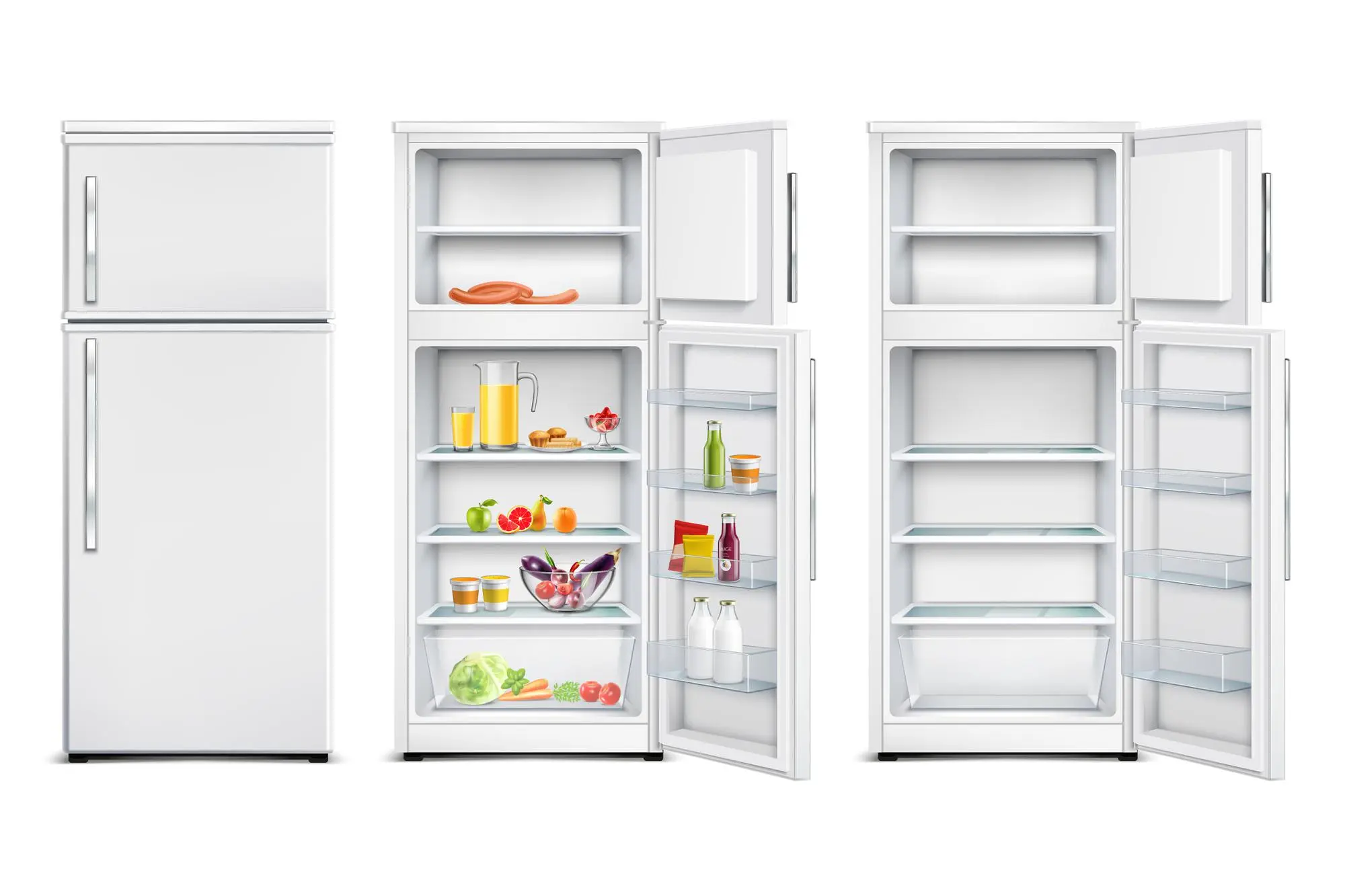
    Imagine a bustling market in Nepal, overflowing with vibrant spices and the freshest produce. The summer heat hangs heavy in the air, and a cool drink sounds like pure bliss. In this environment, a reliable refrigerator becomes an essential part of every Nepali household. It’s not just about keeping food cold; it’s about preserving the lifeblood of Nepali cuisine and offering a refreshing escape from the scorching sun.

    Wondering about refrigerators price in Nepal? The cost can vary depending on the size, brand, features, and technology of the refrigerator. But to give you a general idea, prices typically start around NPR 15,000 for mini-fridges and single-door models, and can go up to NPR 1,40,000 or more for multi-door and side-by-side refrigerators [refrigerator price in Nepal].

    As you navigate the world of refrigerators in Nepal, you’ll encounter several brands, each with its own strengths and catering to different needs. Here’s a closer look at some of the top contenders that grace Nepali kitchens:

    1. Samsung: The Epitome of Innovation

    Samsung, a household name globally, reigns supreme in the Nepali market for a reason. They understand the Nepali desire for both innovation and style. Their refrigerators boast features like Twin Cooling Plus, a marvel of technology that ensures precise temperature control for different sections of the fridge. This keeps your leafy greens crisp and your meat perfectly chilled, maximizing freshness.

    But Samsung doesn’t stop there. They offer a wide range of options, from the basic single-door model for smaller spaces to multi-door behemoths perfect for large families. This variety, coupled with their commitment to cutting-edge technology, positions Samsung as a top choice for tech-savvy Nepali consumers.

    2. LG: Where Durability Meets Elegance

    LG has carved a niche for itself by offering refrigerators that are as elegant as they are durable. They prioritize energy efficiency and quiet operation, thanks to features like their Inverter Linear Compressor. This translates to lower electricity bills and a peaceful kitchen environment – a welcome respite from the hustle and bustle of everyday life.

    But LG doesn’t just focus on the technical side. They understand the desire for convenience. Their InstaView Door-in-Door feature is a game-changer. With a simple tap on the glass panel, you can see what’s inside without actually opening the door. No more cold air escaping every time you need a quick peek for that missing bottle of chutney! This blend of functionality and aesthetics makes LG a popular choice for design-conscious Nepali consumers.

    3. Whirlpool: Reliability Redefined

    Whirlpool is a name synonymous with trust in the Nepali market. They prioritize both freshness and sustainability with features like IntelliFresh Technology. This intelligent system adapts to temperature fluctuations, ensuring your food stays fresher for longer. No more throwing away wilted vegetables or worrying about food spoilage!

    Whirlpool understands that Nepali households have diverse needs. They offer a wide range of models, from the classic top-freezer design familiar to many families to contemporary French door styles. This variety ensures that you can find a Whirlpool refrigerator that perfectly complements your kitchen layout and preferences.

    4. Godrej: Trusted Tradition

    Godrej is a brand that has earned a special place in Nepali hearts. They’ve built a reputation for reliable refrigerators that last for generations. Their focus on hygiene is evident in features like Anti-B Technology, which cleverly prevents the growth of bacteria. This keeps your food safe and your family healthy.

    Godrej offers a range of models to suit different needs and budgets.  Whether you’re looking for a classic single-door model for a small kitchen or a spacious double-door variant for a larger family, Godrej prioritizes quality craftsmanship. Their refrigerators are built to endure the daily wear and tear of a busy Nepali household, making them a trusted choice for many.

    5. CG: Local Innovation, Global Standards

    CG is a Nepali brand that’s making waves in the refrigerator market. They understand the specific needs of Nepali households and offer innovative solutions at an affordable price. Their Power Cool Zone allows for rapid chilling, perfect for those times you need to cool down a warm beverage quickly. Additionally, their customizable storage options let you tailor the interior layout to suit your specific needs.

    CG doesn’t just focus on functionality. They’re committed to sustainability. They integrate eco-friendly refrigerants and energy-saving technologies into their products. This ensures a greener future for Nepal and aligns perfectly with the growing focus on environmental consciousness.

    The Final Word: A Spoilt Choice for Nepali Consumers

    The refrigerator market in Nepal is a testament to the country’s vibrant spirit. It offers a unique blend of global giants with their cutting-edge technology and local heroes who champion affordability and cater to specific Nepali needs. Whether you prioritize innovation like Samsung, sleek design like LG, unwavering reliability like Whirlpool, or trust like Godrej, you’re spoilt for choice.

    With these top brands constantly pushing the boundaries of technology and sustainability, one thing is certain: the future of refrigerator technology in Nepal is bright, offering ever-increasing comfort and convenience for Nepali households.

  • Top Places To Buy Gaming Laptops In Nepal

    Top Places To Buy Gaming Laptops In Nepal

    In Nepal, gaming isn’t just a pastime anymore – it’s a thriving culture that’s gaining momentum by the day. With technology advancing and esports’ rising popularity, gaming has become a significant part of many Nepalese people’s lives.

    Did you know that Nepal’s laptop market is projected to hit US$304.8 million by 2024? And it doesn’t stop there. Statistics indicate an annual growth rate of 8.22% from 2024 to 2028. This surge is primarily fueled by the booming interest in digital gaming.

    But where do you find these gaming treasures? Which stores offer the best bargains and top-notch customer service? Selecting the right store ensures you snag the perfect gaming laptops at best price in Nepal, with helpful staff and excellent customer support. Let’s dive into the top-recommended places to buy gaming laptops in Nepal.

    Top Places To Buy Gaming Laptops In Nepal

    When it comes to buying a gaming laptop, where you get it matters just as much as what you get. It’s not just about picking any gaming laptop stores in Nepal; it’s about finding the right one that offers quality products and excellent service. Here are five stores you can’t go wrong with:

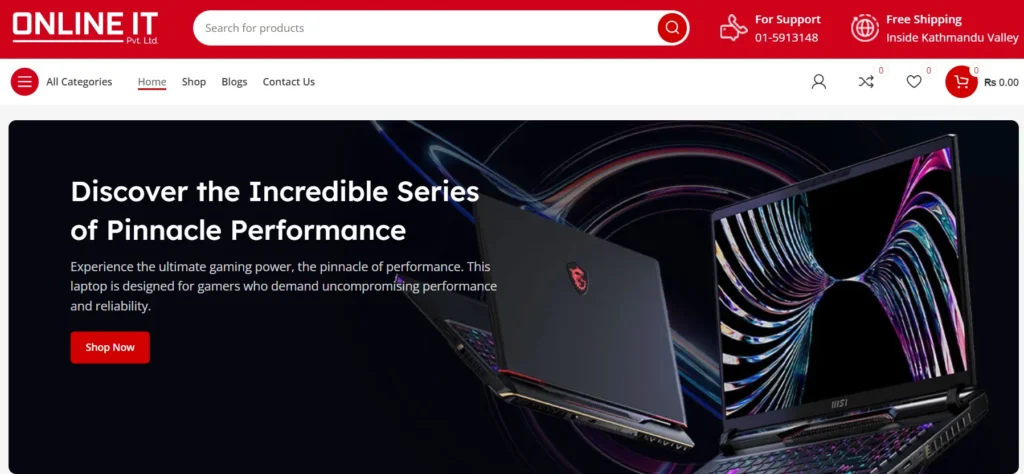
    1. Online It Nepal

    Online It stands out for having a wide selection of gaming laptops in Nepal inside Kathmandu valley that meet the needs of all gamers when it comes to choosing the best one. They are well-known for its diverse selection of laptops, including Dell, Acer, and Asus, as well as HP, Lenovo, and Apple. 

    It has also received praise for providing genuine warranties and good customer service at a reasonable price. With great customer feedback praising the product range and service, it’s a must-visit for gamers looking for quality and dependability.

    Call them at +977-01-5913148

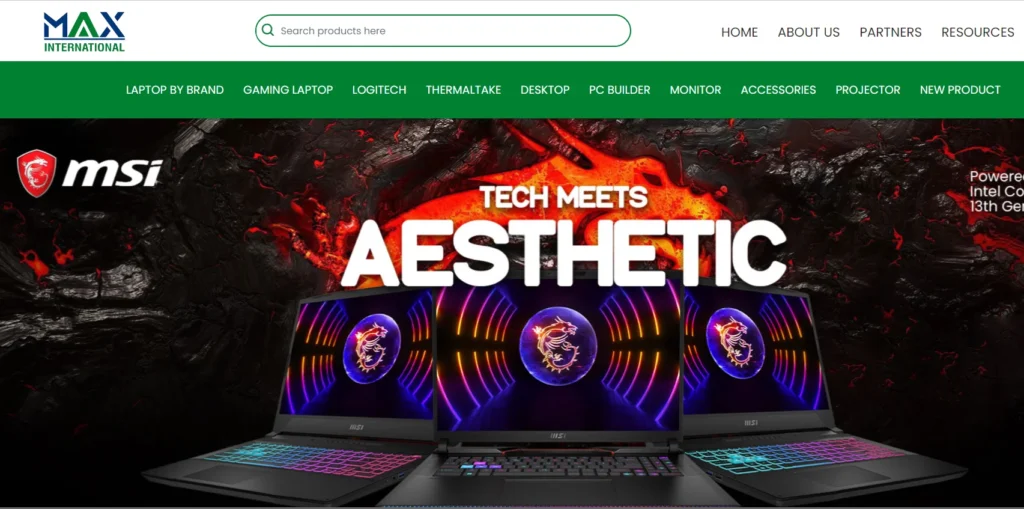
    2. Computer Planet

    Max Nepal is another hub for gamers, with a wide selection of best laptops in Nepal at affordable prices including high-end gaming models. What distinguishes it? They have received appreciation from clients looking for high-quality goods and dependable support because of their outstanding customer service and hassle-free buying experience. 

    Plus, they frequently have sales and discounts, which attracts customers on a tight budget. 

    Ring them up at +977-01-5904726

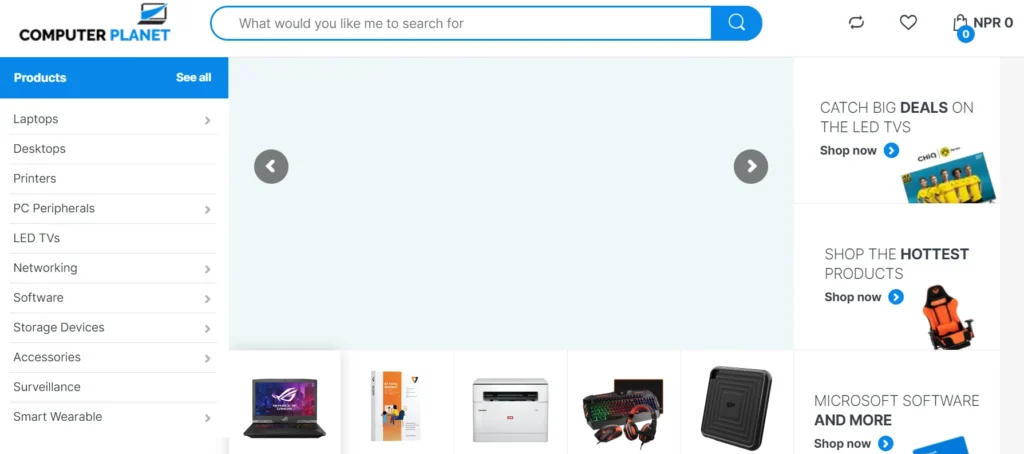
    3. Computer Planet

    For those looking for the best place to buy gaming laptops in Nepal, Computer Planet is the perfect stop.They guarantee that customers remain ahead of the gaming curve by providing high-performance gaming devices. 

    With great reviews appreciating the exceptional product selection and experienced service, it’s no surprise that gamers flock to Computer Planet. From product selection to personalized service, Computer Planet goes above and beyond to ensure customer satisfaction. 

    Give them a call at +9779852021640

    4. Techinn Pokhara

    Techinn Pokhara, located in the tranquil settings of Pokhara, provides a unique shopping experience dedicated to gamers. Their inventory includes a wide range of gaming laptops from reputable brands including HP Pavilion Gaming, Acer Nitro, ASUS Strix, and Lenovo Legion. 

    With a focus on quality and customer satisfaction, Techinn Pokhara stands out as a top choice for gamers looking for premium products in the scenic beauty of Pokhara.

    Contact at +9779852021640

    5. Quality Computer

    Quality Computer rounds off the list as a reliable source for high-end gaming laptops. They are noted for their durability and performance and cater to even the most discerning gamers. 

    Furthermore, Quality Computer’s transparent pricing and genuine warranties provide customers peace of mind, making it a popular choice in the gaming industry.

    Reach out at +9779863609150.

    Things To Consider While Buying Gaming Laptops In Nepal

    If you want a gaming laptop that can handle your adventures without any hiccups, you need to consider these key factors:

    • Performance: Look for a laptop with a strong CPU and GPU for smooth gaming. Aim for at least an Intel Core i5 or AMD Ryzen 5 CPU and a dedicated NVIDIA GeForce or AMD Radeon GPU.
    • RAM and Storage: Get a laptop with enough RAM (8GB or more) and storage space (at least 512GB SSD) for multitasking and storing games.
    • Display: Choose a laptop with a Full HD or higher resolution and a refresh rate of at least 120Hz for clear visuals. Look for IPS panels for better color accuracy.
    • Portability: Balance performance and portability by choosing a laptop size and weight that suits your needs.
    • Cooling System: Check for effective cooling systems with multiple fans and heat pipes to prevent overheating during long gaming sessions.
    • Build Quality: Look for a laptop with sturdy construction to withstand regular use.
    • Battery Life: Consider the battery life if you plan to game on the go. Look for decent battery endurance or invest in a power backup solution.
    • Price and Value: Set a budget and compare prices to find the best value. Consider warranty coverage and customer support.

    Conclusion

    As gaming continues to flourish in Nepal, the demand for best gaming laptops is only going to grow. By choosing the best gaming laptop store in Nepal and considering essential factors before making a purchase, you can ensure a smooth and enjoyable gaming experience. 
    Whether you’re a casual gamer or a hardcore enthusiast, explore trusted retailers like Online It Nepal, or Max Nepal, to find the perfect gaming laptop for you. Don’t hesitate to compare features, warranty terms, and after-sales support before making your final decision.

  • Acer Predator Helios Neo 16 | i9 13900HX Processor, 4060 Graphics

    Acer Predator Helios Neo 16 | i9 13900HX Processor, 4060 Graphics

    Is the i9 processor a game-changing processor coming in the year 2024? The latest 14th generation laptops are currently rare to find in Nepal, with the ASUS ROG Strix being one of the few exceptions. With this, i9 processors come into play as they perform remarkable performances in gaming, editing, or any other extensive tasks.

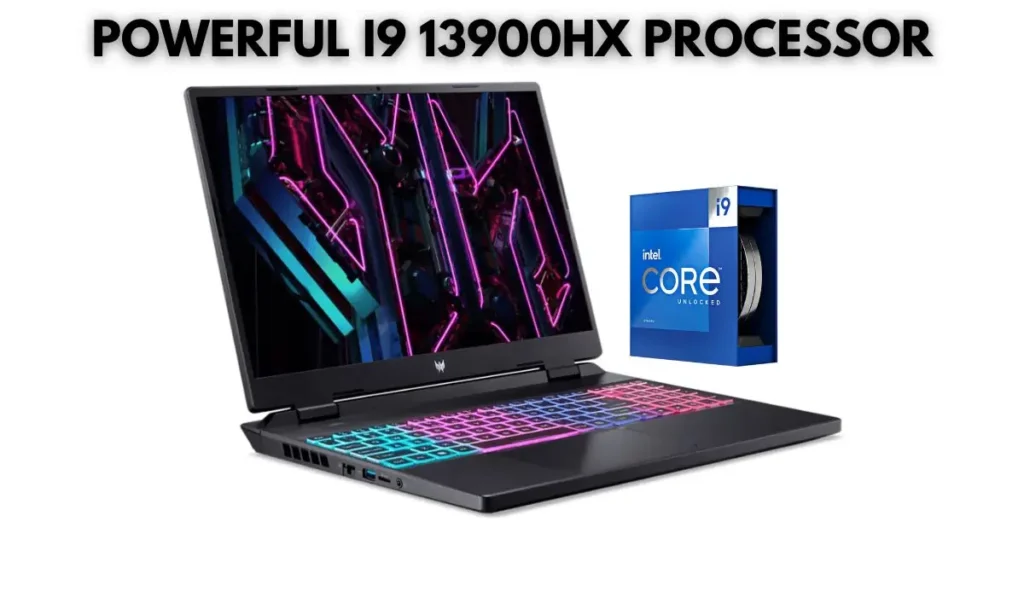
    Featuring the Intel Core i9 13900HX processor, we have the Acer Predator Helios Neo 16, which is one of the best gaming laptops, not just for it’s stunning specifications but also for the build quality.

    In this article, we will be discussing the Acer Predator Helios Neo 16 with the latest and most powerful i9 processor price in Nepal and the best place to buy it.

    Acer Predator Helios Neo 16 i9 13th Gen Overview

    Before moving forward to the price of this gaming beast, let’s take a pause at the overview of the Acer Predator Helios Neo 16, including its processor, storage availability, graphics card, build quality, display, and many more.

    Stay until the end to find out the best deals on the Acer Predator Helios Neo 16 and how you can grab one at the best price in Nepal.

    Processor

    The Acer Predator Helios Neo 16 features an Intel Core i9 13900HX processor, which is definitely a powerful processor with the latest 13th generation.

    Acer Predator Helios Neo 16 i9 13th Gen price in Nepal

    To give you a rough idea about the processor, there are different types of processors that end with unique alphabets. Some with U, some with P, and some with H, moving further to HS and HX. Among all these, HX is the most powerful one.

    So, the Acer Predator Helios Neo 16 featuring the Intel Core i9 13900HX processor boasts 24 cores, which includes 8 performance cores and 16 efficiency cores. Also, it has 32 threads, which, with HyperThreading on the P-cores, delivers outstanding performance on multitasking.

    Talking about the clock speeds, it has a base clock of 2.2 GHz and can turbo boost up to an impressive 5.4 GHz on a single p-core and 4.9 GHz for all cores.

    With the powerful Intel Core i9 13900HX processor, the Acer Predator Helios Neo 16 can easily handle demanding tasks like video editing, 3D rendering, high-end gaming, animations and many more. You can expect a smooth performance even with these demanding tasks.

    The other features of this processor are that it is built on a 10nm Intel 7 process for efficiency and 36 MB of Intel Smart Cache for frequently accessed data. Also, it has an integrated Intel UHD Graphics 770 for basic graphics needs.

    Storage

    While the Acer Predator Helios Neo 16 comes with a default of 16GB of RAM and 512GB of SSD, it has additional slots for upgrading. While you can upgrade the RAM up to 64GB and the SSD up to 2TB to help you even further with more demanding tasks and multitasking.

    It has support for DDR5 RAM and the SSD that comes with the laptop is a PCIe NVMe M.2 Gen4. To let you know, a M.2 SSD is way faster than a SATA SSD. So, if you are planning to buy a laptop, then you should definitely check the SSD of the device.

    Graphics

    The Acer Predator Helios Neo 16 has a new generation graphics card, i.e., NVIDIA GeForce RTX 4060 8GB GDDR6 Graphics, which has significant performance improvements over previous generations.

    With the availability of the 8GB GDDR6 VRAM, you can enjoy high-resolution gaming while expecting smooth and fluent performance.

    If you are a serious gamer or a content creator who needs the latest and greatest for high-resolution gaming or high-frame rate gaming, then getting a RTX 4060 graphics laptop is beneficial.

    Acer Swift Go 14: Best Budget UltraBook with i5 13500H Processor

    Display and Design

    While the display of the Acer Predator Helios Neo 16 is remarkable with the 16-inch WQXGA (2560 x 1440) alongside the 165Hz refresh rate, it offers a higher-resolution display, letting you get those crisp images during gaming or graphics design. The combination of the WQXGA with a 165Hz refresh rate is exactly what a gamer or a designer looks for.

    Acer Predator Helios Neo 16 Design

    With an aspect ratio of 16:10, the Acer Predator Helios Neo 16 offers even more vertical space compared to a traditional 16:9 display. A larger or wider screen is helpful for multitasking and gaming.

    Additionally, it features a 100% sRGB color gamut that ensures rich and accurate colors, which is good for content creators who want a lifelike experience. Also, the G-synce and Advanced Optimus Technology (by NVIDIA) help eliminate screen tearing and optimize battery life by adjusting the refresh rate based on what’s on the screen.

    Nevertheless, the 3 ms GTG response time minimized ghosting for clear pictures during quick movements.

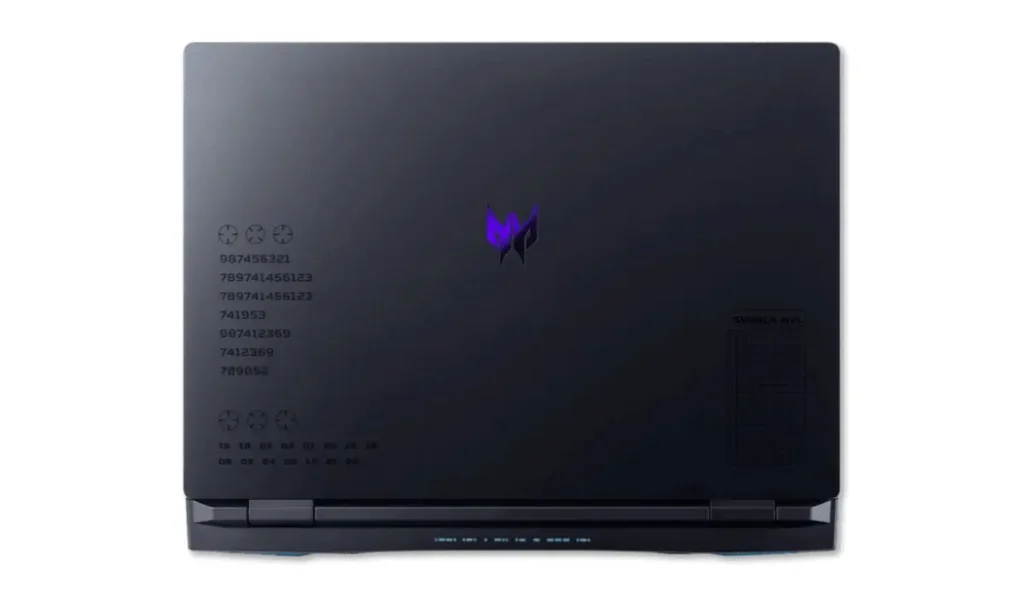
    Talking about the design, the Acer Predator Helios Neo 16 has significant changes over the Helios 16. The predator logo in the center looks more prominent than the top-placed one on the Helios 16.

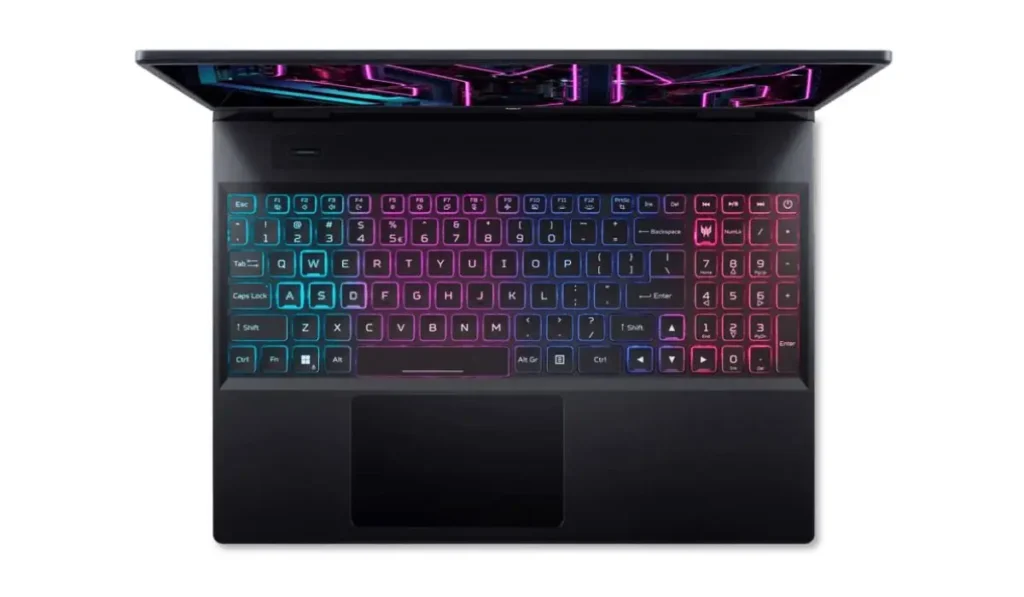
    The Acer Predator Helios Neo 16 has a full-sized RGB backlit keyboard with dedicated gaming keys. This allows for customization and easier identification of important keys during gameplay. Also, the thermals of the Acer Predator Helios Neo 16 are outstanding, with a dual-fan cooling system that keeps the laptop cool under pressure during intense gaming sessions.

    Acer Predator Helios Neo 16 Full Zone RGB Backlit Keyboard

    Overall, the design and display of the Acer Predator Helios Neo 16 are outstanding and provide excellent functionality for gamers. With a display that offers high resolution, refresh rate and color accuracy, the Acer Predator Helios Neo 16 with an i9 processor is exactly what you are looking for.

    Planning to buy laptops in Nepal? Check out Top 3 Laptop Stores in Nepal.

    Battery

    As the Acer Predator Helios Neo 16 is a gaming laptop, even though it has a 90Wh battery, the battery backup is below-average. The laptop comes with a battery capacity of 90 Wh, which is fairly standard for a gaming laptop.

    As the Acer Predator Helios Neo 16 features an Intel i9 processor alongside the RTX 4060 graphics card and a 16” WQXGA display, the power draw is extremely high. Due to this, the battery backup for the laptop is nearly 3–5 hours.

    Also, the laptop comes with a 230W Smart AC power adapter with fast charging support.

    Acer predator Helios Neo 16 Ports

    Acer Predator Helios Neo 16 Full Specifications

    CPU/Processor13th Generation Intel Core i9 13900HX Processor with 24 cores, 32 threads, 5.4 GHz of max turbo frequency and 36MB of Intel Smart Cache
    RAM/Memory16GB DDR5-4800 MHz Memory (extendable to 64GB)
    SSD/Storage512GB PCIe NVMe M.2 Gen4 SSD (up to 2TB support)
    Display16.0-inch WQXGA (2560 x 1440p) IPS Display with 165Hz refresh rate, anti-glare technology, 100% sRGB, G-Sync, MUX switch and advanced optimus
    Display ResoltionWQXGA (2560 x 1440 pixels) with 16:10 aspect ratio
    GraphicsNVIDIA GeForce RTX 4060 Graphics with 8GB Dedicated GDDR6 VRAM
    KeyboardFull-sized RGB backlit keyboard with dedicated gaming keys
    Audio2 x 2W Speakers with Nahimic Gaming Audio
    Battery90 Watt-hours Lithium-Polymer battery with 230W Smart AC power adapter
    ConnectivityWi-Fi 6E and Bluetooth 5.1
    Webcam720p HD Camera with E-shutter and dual-array microphones
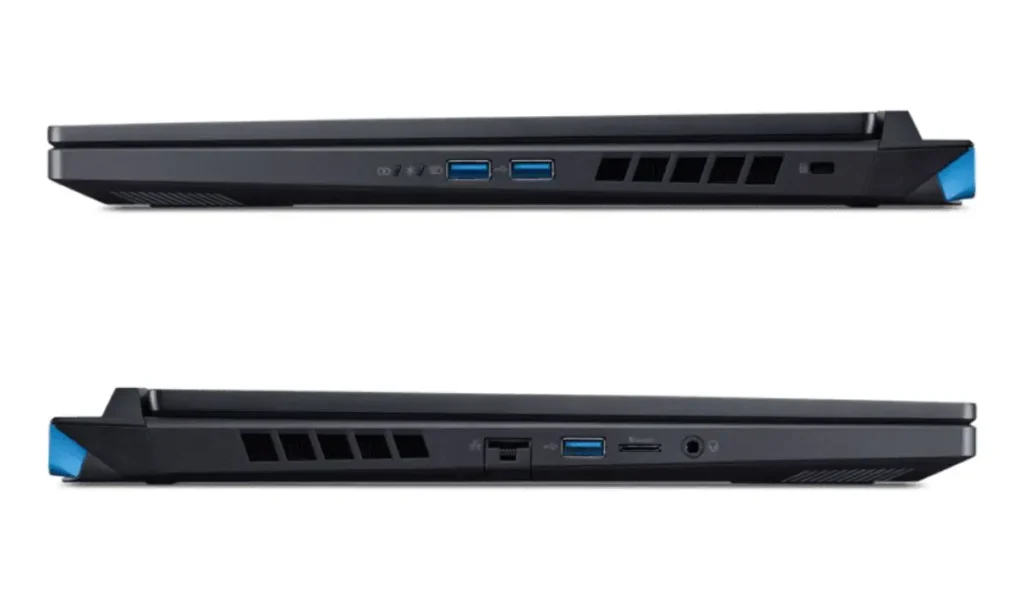
    I/O Ports2 x USB Type-C (Thunderbolt 4)2 x USB 3.2 Gen 2 Type-A1 x USB 3.2 Gen 1 Type-A1 x HDMI 2.11 x RJ45 (Ethernet Port)1 x Microphone/Headphone Combo Jack1 x Power Connector
    Acer Predator Helios Neo 16 i9 13th Gen Full Specifications

    Acer Predator Helios Neo 16 i9 13th Gen Price in Nepal, Availability

    The Acer Predator Helios Neo 16 with the i9 13900HX processor price in Nepal is NPR 210,000 and is now available at the Mudita Store. You can directly purchase them from the Mudita Store or locate them at Putalisadak-28, Kathmandu.

    Acer Predator Helios Neo 16 (2023)Price in Nepal (Updated)Availablity
    I9 13900HX processor, 4060 8GB GraphicsNPR 210,000Mudita Store
    Buy the Acer Predator Helios Neo 16 featuring the Intel Core i9 13900HX processor today from the Mudita Store at a discounted price. Reach out to the social handles to get even more discounts. Use the ‘Techsikshya’ reference to get the best deal.