![How To Check NTC Number? Learn Easily In Seconds [Updated]](https://wordpress-inuw7.wasmer.app/wp-content/uploads/2023/07/how-to-check-ntc-number-2.webp)
For NTC users, checking the SIM number is always a question. Some people forget their SIM number when they have to give their number to others. Especially when they have bought a new NTC SIM Card and somebody asks them to give their number.
I believe that you also have the same problem. You also forget your own SIM number a lot and don’t know how to check the NTC number. So, here are some ways how to know the NTC number when you are in need.
Every SIM Card company provides a way to check SIM Card numbers like Ncell, Smart, and NTC. You can simply get your NTC number by following ways:-
Download Notice
How to Check NTC Number?
First, let us clear up this question. Finding the NTC number is complicated for most of the users. They don’t remember the steps to find the NTC number. As a NTC user, I usually have to face this problem. So, here are the steps on how to check the NTC number:
- To check the NTC SIM number, you need to dial *9# and call.
- Then your mobile phone will display the SIM number as follows.


[Photo]
You might be confused with the MSISDN:977984XXXXXXX message. The “977” at the front is the country code. You can leave that part and remember the remaining part. Your number is “984XXXXXXX”.
Type of User Notice
How to Check NTC Number Owner Name?
Now, different SIM Card companies have given services like checking the owner’s name. Similarly, checking the NTC Number owner name service is available in the NTC number too.
Here are the steps on how to check NTC Number Owner Name:
- Open Dial Section and dial *922#.
- Click on the Call Button. Then you can see the owner’s name.
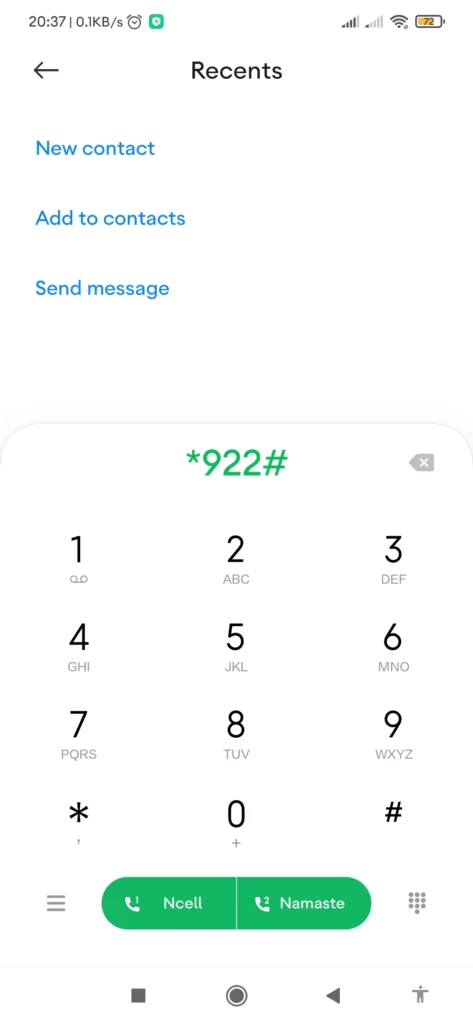
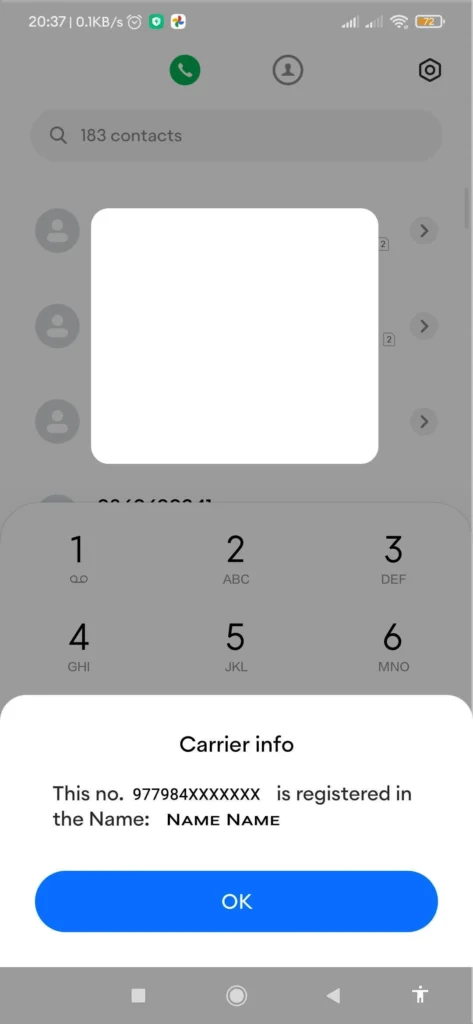
You can see the SIM Card number along with the SIM Card owner’s name. This process can be used instead if you want the SIM Card number also.
Not Available(NA) Notice
How to Check NTC Number Balance?
Knowing the balance is another important thing in your SIM Card that you must be well known about. Here are the steps on how to check the NTC number balance:
- Open the Dial Section and dial *400#.
- Click on the Call button. Then your screen displays the message with the balance available in your SIM Card.

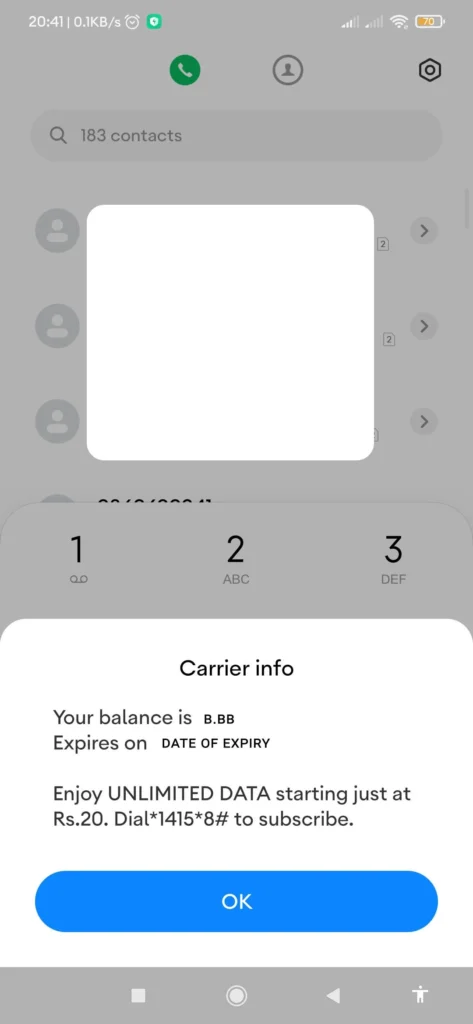
Note: You must have to check the expiry date of your NTC number balance. So, in case you might forget, save this article as a pdf so that you can read it in the future.
Expiry Date Note
Please Note
Please Note
How To Identify NTC and Ncell Number?
Identifying NTC and Ncell numbers is not that hard. You can easily find out this thing with just these few tricks.
The NCELL number has the system as “980XXXXXXX” “981XXXXXXX” or “982XXXXXXX”. While the NTC number has the system as “984XXXXXXX”.
Just you need to look at the first three digits and then yes you can find the difference. You can know the person who is calling you or whom you are calling is NCELL or NTC SIM.
Note: If you need some information about the NTC SIM Card then leave a comment for us. Your comment helps us a lot.
Conclusion
You can check your NTC number through some simple steps. Now don’t worry if you forget your SIM Card number. You can save this article or download this article on How To Check NTC numbers in the future. Forgetting things has always been a psychological problem. As an NTC user, I always forget about the codes that help to check the NTC SIM number, owner name, and balance.
You can also check out: Samsung Galaxy A54 5G Price in Nepal || Benco S1 Price in Nepal